.webp)


If you’ve been following AI over the past year or two, you’ve probably heard some pretty wild claims about AI agents. Entire teams will be replaced. Companies will be run by armies of autonomous AI workers. Everyone will have a fleet of digital employees working around the clock.
We’re not there yet. Today’s agents can still misunderstand instructions, make poor decisions, lose track of context, struggle with permissions, or fail when they encounter situations their designers didn’t anticipate. OpenAI itself recommends human intervention for high-risk actions and when an agent exceeds predefined failure thresholds.
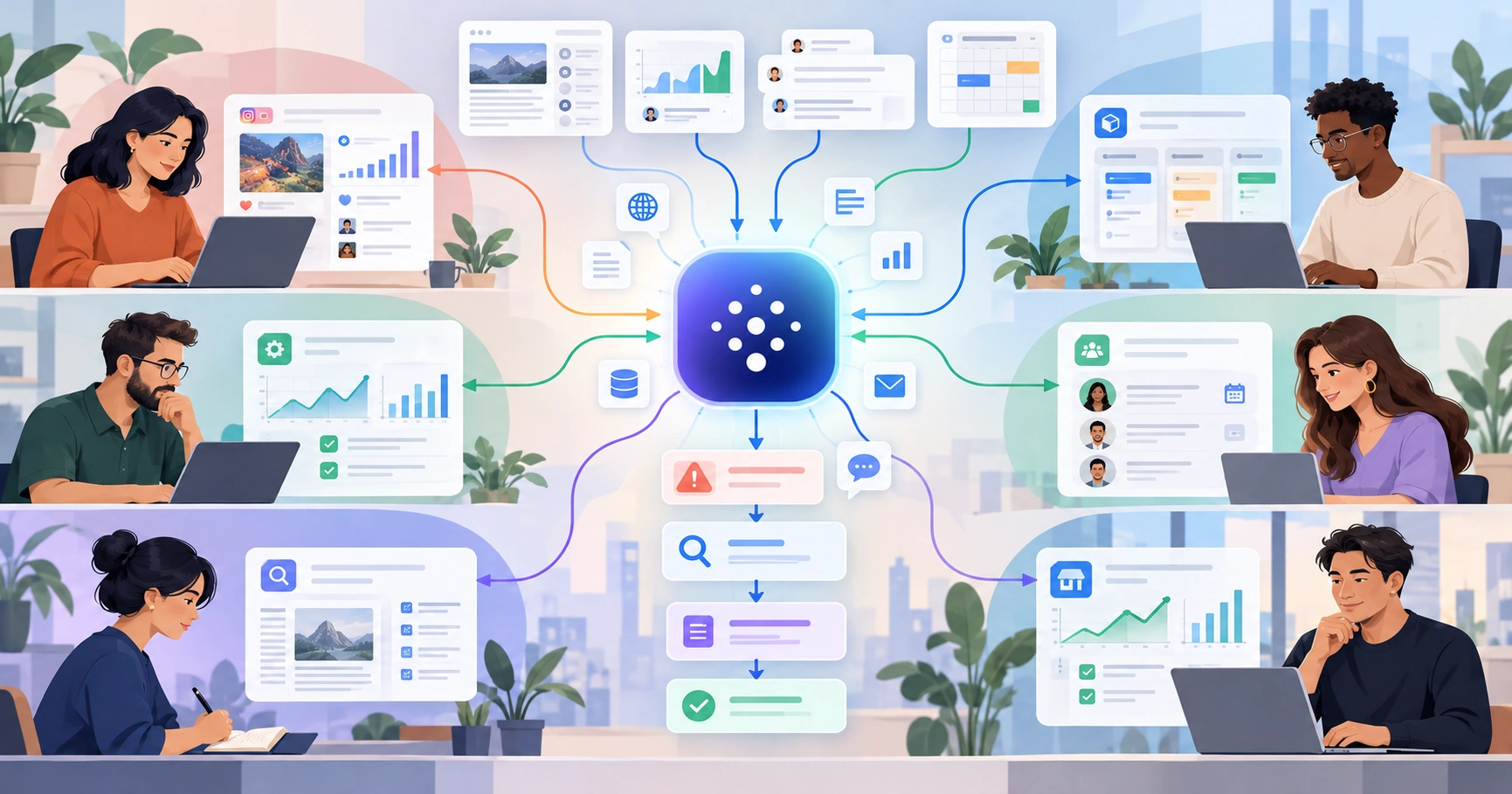
But underneath all that hype is a genuinely important shift. For the first few years of generative AI, most of us used AI one request at a time: summarize this document, analyze these survey responses, draft an email. AI agents can go further. Instead of responding to an individual prompt, an agent can work toward a broader goal, decide what steps to take, use different tools along the way, observe what happens, and adjust its approach based on the results.
That distinction is what makes agents worth paying attention to. So what exactly is an AI agent? How is it different from a chatbot, an automation, or an AI workflow? And what kinds of work are agents actually useful for?
What is an AI agent?
An AI agent is an AI-powered system that can pursue a goal, decide what actions to take, use tools and information along the way, and adapt its approach based on what happens.
OpenAI describes agents as systems that independently accomplish tasks on a user’s behalf. A defining feature is that the AI model helps manage the workflow itself, including deciding which tools to use, determining when more information is needed, and correcting course when necessary. Anthropic makes a similar distinction, describing agents as systems in which an LLM dynamically directs its own process and tool use rather than moving through a predefined sequence.
In other words, an agent isn’t simply following a fixed path like:
Step 1 → Step 2 → Step 3 → Step 4.
It’s closer to:
Here is the outcome I want. Figure out which steps are necessary, use the tools available to you, and adjust based on what you discover.
That doesn’t mean the agent has unlimited freedom. In practice, well-designed agents operate within instructions, permissions, tools, and guardrails set by humans. But within those boundaries, they can have more control over how a goal gets accomplished.
Want to learn more about how you can unlock the power of AI agents in your own role? Check out the AI agents course from Workbench, a division of Designlab.
A simple example
Say you're responsible for monitoring customer feedback. A traditional process might require you to manually review feedback every Friday, categorize the comments, identify important trends, and prepare a report. An AI-powered workflow could automate much of that sequence:
Every Friday → collect the week’s feedback → use AI to categorize it → summarize the categories → generate a report.
That's useful, but the path is still predefined. An agent could operate differently. You might instead give it the goal:
Monitor customer feedback and alert the product team when something appears significant enough to investigate.
From there, the agent could inspect new feedback, compare it with historical patterns, and determine whether anything looks unusual. If complaints about one feature suddenly start increasing, it might decide to investigate further, pull related support tickets, look for a recent product change, and prepare an alert with the relevant evidence. If nothing meaningful has changed, it might decide not to alert anyone at all.
That conditional behavior is what makes the difference. The agent isn't just executing several prompts you happened to bundle together; what it does next depends on what it learned from what happened before. Tools like Claude Cowork are one example of this shift toward agentic environments designed to carry out multi-step work rather than simply answer individual prompts.
.webp)
A useful way to think about AI agents: intern vs. senior employee
One useful analogy is to think about how managers delegate work to people with different levels of experience. Michael Hyatt's Five Levels of Delegation describes a progression from highly directed work toward increasing independence:
- Do exactly what I tell you.
- Research the issue and report back.
- Research it and recommend what we should do.
- Decide, act, and tell me what you did.
- Take ownership and act independently.
The underlying idea isn't that more senior people simply do more. It's that they're trusted with higher-level objectives and more judgment about how to achieve them.
AI systems can be thought about in a similar way. With a chatbot, your interaction might resemble managing an intern very closely:
“Read these customer comments.”
“Now categorize them.”
“Now tell me which categories increased.”
“Now draft a report.”
In that setup, you're directing the work at the task level. With an agent, the instruction might instead be:
Monitor customer feedback and make sure I know about emerging product problems before they become widespread.
Now the system has more decisions to make. It has to determine what to look at, what counts as an unusual pattern, whether something warrants further investigation, which tools to use, and what evidence is strong enough to escalate.
That's closer to giving a more senior employee an outcome rather than a checklist. Of course, an AI agent isn't literally an employee, and more autonomy isn't automatically better. One of the most important parts of designing an agent is deciding how much independence is appropriate for the task at hand.
For some kinds of work, you might let the agent investigate independently but require human approval before it takes any external action. For lower-risk tasks, you might allow it to complete the entire process. The goal isn't maximum autonomy; it's the right level of autonomy for the work.
.webp)
From automation to AI workflows to AI agents
Another useful way to understand agents is to place them on a spectrum alongside traditional automation and AI-powered workflows.
1. Traditional automation: if this, then that
Traditional automation follows rules defined in advance. For example:
When someone fills out this form, add their information to Airtable and send them a confirmation email.
The system doesn't need to understand the submission or decide what should happen next. It follows the rule: If X happens → do Y. This kind of deterministic automation is often extremely useful, and if a process is stable and predictable, you may not need AI at all.
2. AI workflow: AI adds judgment inside a defined process
An AI workflow introduces a model into one or more steps, but humans still largely define the path the work will take. For example:
New support ticket arrives → AI classifies the issue → route billing issues to Billing → route technical issues to Support → AI drafts a response → human reviews it.
Here, AI is doing something ordinary software rules might struggle with: interpreting messy language and making a classification. But the overall flow remains predetermined. Anthropic explicitly distinguishes these systems from agents, describing workflows as systems in which LLMs and tools move through predefined paths.
3. AI agent: AI helps determine the path
Now imagine the instruction is:
Resolve routine customer support problems whenever possible, and escalate anything you cannot resolve safely.
An agent might receive a ticket, determine that it involves billing, retrieve the customer's account, discover a duplicate charge, check the relevant refund policy, initiate an approved refund, update the customer record, and notify the customer.
A different ticket could send it down a completely different path. If the agent detects a potential account-security issue, it might determine that it should not attempt to resolve the problem itself, gather the relevant information, and escalate it immediately to the security team.
The goal stays the same, but the steps change depending on what the agent encounters. This isn't a perfect taxonomy, and real systems can blur the boundaries between automation, workflows, and agents. Still, it’s a useful distinction: the more agentic a system becomes, the more responsibility the model has for deciding how the work gets done.
.webp)
How do AI agents work?
There are many technical approaches to building AI agents, but most useful agents need a few basic ingredients.
1. A goal
An agent needs an objective. That could be relatively narrow, like finding a meeting time all participants can attend, or broader, like making sure the product team knows when competitors introduce strategically important changes.
The important difference is that a goal describes the desired result rather than specifying every individual action required to get there.
2. A model that can make decisions
The agent typically uses a large language model to interpret its current situation and determine what should happen next. The model might evaluate incoming information, determine whether it needs additional context, choose among possible actions, and assess whether the goal has been reached. OpenAI specifically identifies this ability to manage workflow execution and make decisions as a core characteristic of agents.
3. Tools
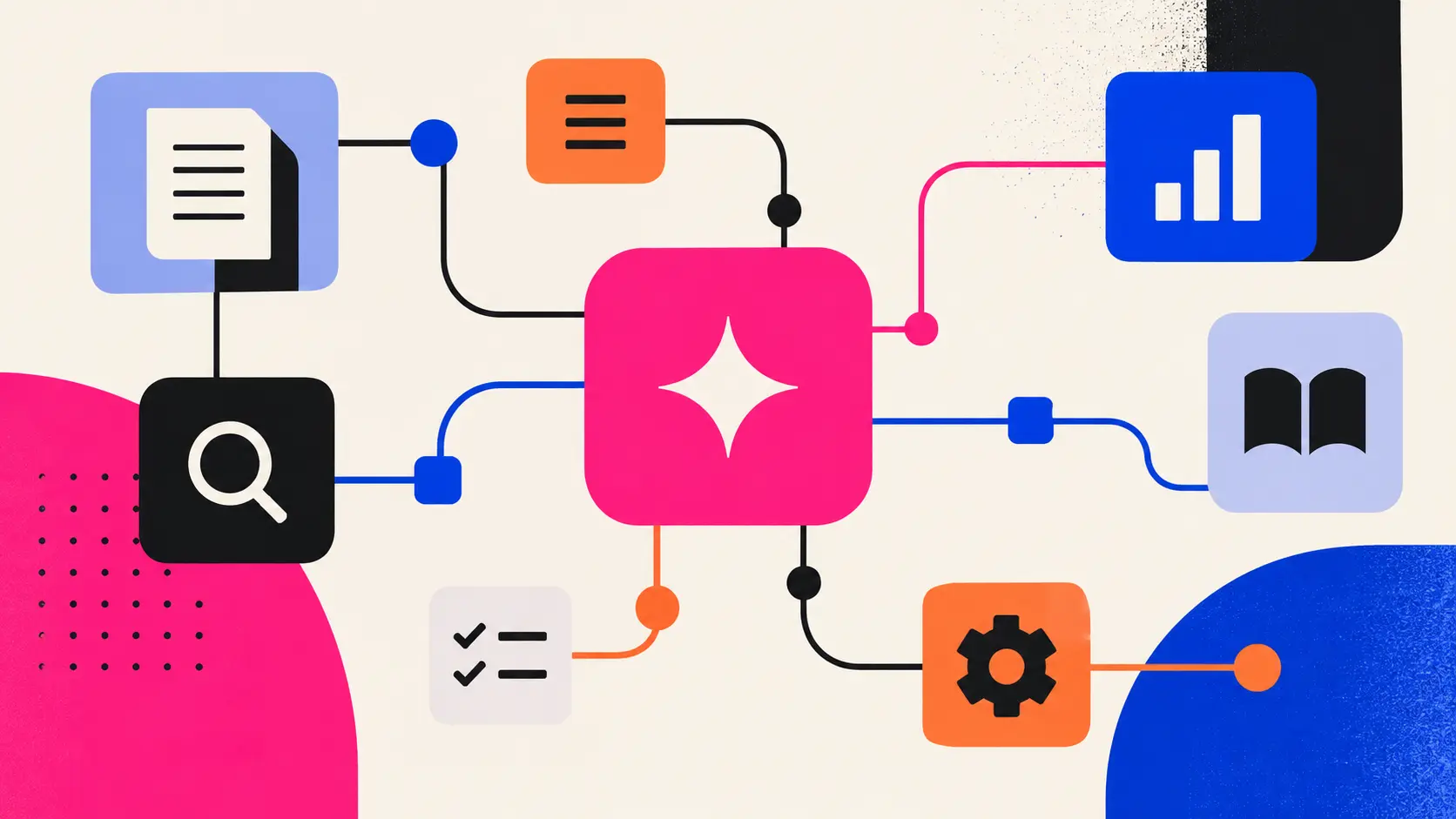
An agent becomes much more useful when it can interact with the systems where work actually happens. Depending on the task, its tools might allow it to search the web, read documents, access an inbox, query a CRM, check a spreadsheet, update Airtable, search a database, create a calendar event, send a Slack message, call an API, or run code.
Without tools, an AI system can mostly tell you what it thinks should happen. With tools, it can begin taking actions that move the work forward.
4. Context and data
Agents also need access to the right information. A marketing agent may need analytics and previous campaign data. A research agent might need interview transcripts, customer feedback, and previous studies. An operations agent could need forms, spreadsheets, email, and internal documentation.
The quality of an agent often depends heavily on whether it can retrieve the right context at the right time. Anthropic notes that newer agentic approaches increasingly allow systems to retrieve context dynamically as they work rather than forcing every relevant piece of information into the initial prompt.
5. A decision-and-action loop
This is where an agent starts to become meaningfully different from a sequence of AI prompts. Instead of taking one action and stopping, the agent can repeatedly:
observe → decide → act → inspect the result → decide again
Anthropic describes this simply as an LLM using tools in a loop.
Imagine the goal is to investigate a sudden decline in trial conversions. The agent might pull conversion data and notice that the decline is concentrated among mobile users. That could lead it to segment the data by browser, where it discovers that Safari conversions fell dramatically. Based on that finding, it might check recent product changes, discover that a checkout update was released shortly before the decline, gather supporting evidence, and prepare a briefing for the team.
You didn't necessarily tell it in advance to check mobile, then Safari, then release notes. Those actions emerged from what the agent found as it worked.
6. Guardrails and human oversight
More autonomy also creates more risk. The fact that an agent can take an action doesn't mean it should always be allowed to take that action without approval.
OpenAI recommends human intervention especially for sensitive, irreversible, or high-stakes actions and when an agent repeatedly fails to resolve a task. You might therefore allow an agent to independently research, classify, compare, analyze, and draft while requiring human approval before it sends money, issues a refund, contacts a customer, deletes data, or makes an employment decision.
Good agent design isn't about removing humans from the process. It's about deciding where automation is useful and where human judgment still matters most.
.webp)
AI agents vs. chatbots
The simplest difference between a chatbot and an agent is who is managing the work.
With a typical chatbot, you might say:
“Analyze this sales report.”
“Now look at the Northeast.”
“Compare that against last quarter.”
“Tell me whether any account looks unusual.”
The AI is helping, but you are orchestrating the investigation. An agent can instead receive a broader objective:
Investigate this quarter's sales performance and flag anything that warrants management attention.
It may then decide which regions to examine, which comparisons matter, whether it needs additional data, and which anomalies deserve further investigation. The distinction isn't that the agent writes longer answers; it's that the agent takes on more responsibility for managing the work itself.
AI agents vs. AI workflows
AI workflows sit somewhere between traditional automation and agents. A workflow can contain multiple sophisticated AI steps, but the overall path is still largely defined in advance.
Consider content production:
Topic arrives → research it → generate outline → write draft → perform brand check → send to editor.
There may be several LLM calls in that sequence, but the system already knows what comes next. An agent might instead receive:
Prepare a strong draft for this topic that meets our editorial standards.
From there, it could research the subject, discover that the original premise isn't well supported, broaden the research, change the proposed angle, seek out a particular source, revise its outline, create a draft, critique that draft against editorial guidelines, and revise it again before presenting it.
The sequence isn't necessarily fixed, but that doesn't make agents inherently superior. Anthropic recommends using the simplest approach that works, and there's a good reason for that. Predictable tasks often benefit from workflows because they're easier to understand, cheaper to operate, and more reliable. Agents make more sense when flexibility and model-driven decision-making actually add value.
Examples of AI agents at work
The strongest agent use cases usually aren't situations where AI performs several unrelated tasks. They're situations where new information changes what the system should do next.
Competitive intelligence
Goal: Alert me when a competitor does something strategically important.
An agent could monitor relevant sources and decide whether new information warrants further investigation. A minor homepage copy change might require no action, while a new enterprise pricing page could prompt the agent to compare pricing with previous positioning, search for supporting announcements, check whether the product itself has changed, and determine whether the development is significant enough to flag.
Customer-feedback monitoring
Goal: Identify emerging product issues before they become widespread.
The agent reviews incoming feedback against historical patterns. If everything looks normal, it does nothing. If complaints around one feature begin increasing, it might investigate related support tickets, segment the affected users, check for recent product releases, and prepare evidence for the product team.
Research
Goal: Investigate why customers are abandoning onboarding.
An agent could begin with interview transcripts and notice several references to one setup step. That might lead it to search support tickets for similar language, compare those findings with behavioral data, discover that one customer segment is especially affected, and focus its research there.
The important part isn't simply that AI can summarize transcripts, extract themes, and write a report. It's that the research direction itself can change based on the evidence.
Operations
Goal: Handle incoming partnership requests and make sure promising ones reach the right person.
An agent might inspect each request, research the organization when necessary, assess whether it matches predefined criteria, request additional information when needed, route strong opportunities to the right person, and update the CRM. Different submissions could trigger entirely different paths.
Software development
Coding agents provide an especially intuitive example because software creates a natural feedback loop:
write code → run tests → observe an error → inspect the relevant code → revise it → run the tests again.
The next action depends directly on the result of the previous one. That's the same basic decision-and-action loop that makes many agentic systems work.
What is agentic AI?
Agentic AI is the broader term typically used for AI systems that can pursue objectives with some degree of autonomy. An AI agent is a particular system doing that work.
The terminology isn't perfectly standardized, and companies sometimes use “agent,” “agentic workflow,” and “agentic AI” differently. For most professionals, the labels matter less than the underlying shift: AI is moving from responding to individual instructions toward taking responsibility for portions of a workflow.
When should you use an AI agent?
A common mistake is assuming that anything involving AI should become an agent. It shouldn't.
Microsoft's guidance is refreshingly straightforward: if a task can be handled with a normal function, use the function. Agents are better suited to open-ended work that requires planning and tool use, while workflows are generally a better fit when the execution path is known in advance.
Agents become more compelling when the work is:
- repeated often enough to justify designing a system around it;
- multi-step;
- dependent on changing information;
- difficult to fully specify in advance;
- dependent on judgment;
- spread across multiple tools or data sources;
- governed by clear outcomes and boundaries.
A useful way to see the difference is to look at the same type of work at three levels.
For a simple automation, you might say:
“When a lead fills out the enterprise form, add them to Salesforce.”
A rule can handle that.
For an AI workflow, the instruction might be:
“Read each lead's description and classify them by company type.”
AI interpretation helps, but the process is still straightforward.
An agent might receive a broader objective:
“Evaluate new enterprise leads, gather missing context when necessary, prioritize the strongest opportunities, and make sure the right salesperson has what they need to follow up.”
Now different inputs may require different actions, which is where an agent starts to make more sense.
Do you need to know how to code to build an AI agent?
Not necessarily. The phrase “build an agent” currently describes two fairly different activities.
One is engineering agentic software, which might involve Python, APIs, orchestration frameworks, databases, retrieval systems, evaluation infrastructure, security, model selection, and production deployment.
The other is designing agentic workflows using existing AI environments. Tools such as ChatGPT or Claude can increasingly provide much of the underlying agent capability, which means the work shifts toward designing the system around it.
That means answering questions like:
- What goal should the agent pursue?
- What information should it have access to?
- Which tools can it use?
- What decisions can it make?
- What should cause it to investigate further?
- What should cause it to stop?
- When does a human need to approve something?
- How do we know whether it's doing a good job?
OpenAI's current guidance for workspace agents makes a similar distinction from traditional deterministic workflows: agents can interpret context, make bounded decisions, and adapt how they progress through work while remaining constrained by instructions, tools, and guardrails.
For many nontechnical professionals, those design questions are more important than writing the underlying software.
The real skill isn't maximizing autonomy. It's knowing what to delegate.
This brings us back to the employee analogy. The useful thing about a strong senior employee isn't that you can give them ten tasks at once. It's that you can say:
Here's what we're trying to accomplish. Use your judgment.
From there, they investigate. What they discover changes what they do next. They recognize when something is unusual, know when they need more information, escalate when something exceeds their authority, and stop when the objective has been achieved.
That's the direction AI agents are moving toward. Today's technology is far from a perfect digital senior employee, and treating it like one without appropriate oversight would be a mistake. But the progression is meaningful.
The first wave of generative AI largely taught us to ask:
How do I get AI to perform this task?
Agents introduce a different question:
What outcome can I delegate, what decisions can the AI make along the way, and where should I remain in control?
Learning to answer that question may ultimately matter more than learning any individual agent tool, because the tools will change. The underlying skill—understanding work well enough to decide what to automate, what to make AI-powered, what to delegate to an agent, and what should remain human—is likely to last considerably longer.


.webp)