





Linsey Fox, a senior product designer with experience at Intuit, Snowflake and DocuSign, came to Designing AI Products unsure whether she still wanted to work in design. With AI’s impact on the industry, she was weighing other careers. She knew she had to make a decision. "I either have to get on the ship or get off it."
The course gave her an answer. It reframed AI as a design challenge that plays to her strengths, and reignited her passion for the work. Edge cases, once the tedious part of her job, became the job itself. Her content and information architecture strengths suddenly mattered more than ever.
She finished her capstone early and has since enrolled in Designlab's full AI Product Design Certification.
A designer at a crossroads
Linsey has practiced product design since 2018, mostly in B2B SaaS environments. She recently wrapped a contract at Intuit as a senior growth product designer, after roles at Snowflake and DocuSign.
Like many designers, she felt the ground shift under her as AI swept through tech. It was the first disruption of its kind in her career.
"Like anybody working in tech, I have experienced a lot of ups and downs because of AI, and I have had a lot of talks with myself…do I get out or do I embrace this, because I can't just ignore it?”
Between jobs and with time on her hands, she decided to let a Designlab course settle the question. "If I hate it, then that's my answer. But I really enjoyed it — I nerded out.”
From using AI to designing for it
Linsey had already taken Designlab's AI for UX Design course in summer 2025, and put it to work on research right away. "I get it," she remembers thinking. "I understand why this is so hyped." The natural next step was learning how AI itself works and how to design for it.
She weighed Designing AI Products against a similar course that cost twice as much. Beyond price, two things won her over. She liked that the curriculum dedicates a significant amount of time to trust, setting students up "to be stewards of responsible AI design." Secondly, it's taught by people who do the work every day.
"I want to learn from people who have boots on the ground in the field…someone who's actually doing AI product design within companies, because we’re building the plane while flying it."
Linsey also saw a bigger purpose in becoming an AI-fluent designer. "I feel very passionate about helping our society break our addiction to screens. And I think AI is going to play a role in that."
"I want to learn from people who have boots on the ground…someone who's actually doing AI product design within companies, because we’re building the plane while flying it."
The lightbulb moments
The course hooked her from the beginning, when instructor Chris Risdon described the shift from designing predictable flows to designing for a probabilistic system.
What jumped out at Linsey was what that means for edge cases. In traditional product design, mapping every error state is slow work that teams often cut, and she felt it was a frustrating part of her job. With AI, it moves to the center.
"This kind of flips it on its head. You can't not test edge cases here. Your goal as a designer is now to break this system…I see it as an opportunity to look at how to prevent things from going really wrong.”
She also sees the work as a chance to learn from the ways people use AI tools that designers never anticipated.
"This is the perfect moment for me to shine, because I get to use all of my good UX skills, like information architecture, journey mapping, and problem solving, and not as much focus on cranking out UI."
The course showed her that this moment in design suits her. She doesn't come from a graphic design or art background, and visual design has never come naturally. That, she says, is ultimately why she’s decided to stay in the field.
"This is the perfect moment for me to shine, because I get to use all of my good UX skills, like information architecture, journey mapping, and problem solving, and not as much focus on cranking out UI."
The capstone: reimagining Figma Make
For her course capstone, Linsey chose a tool she uses and wanted to improve: Figma Make.
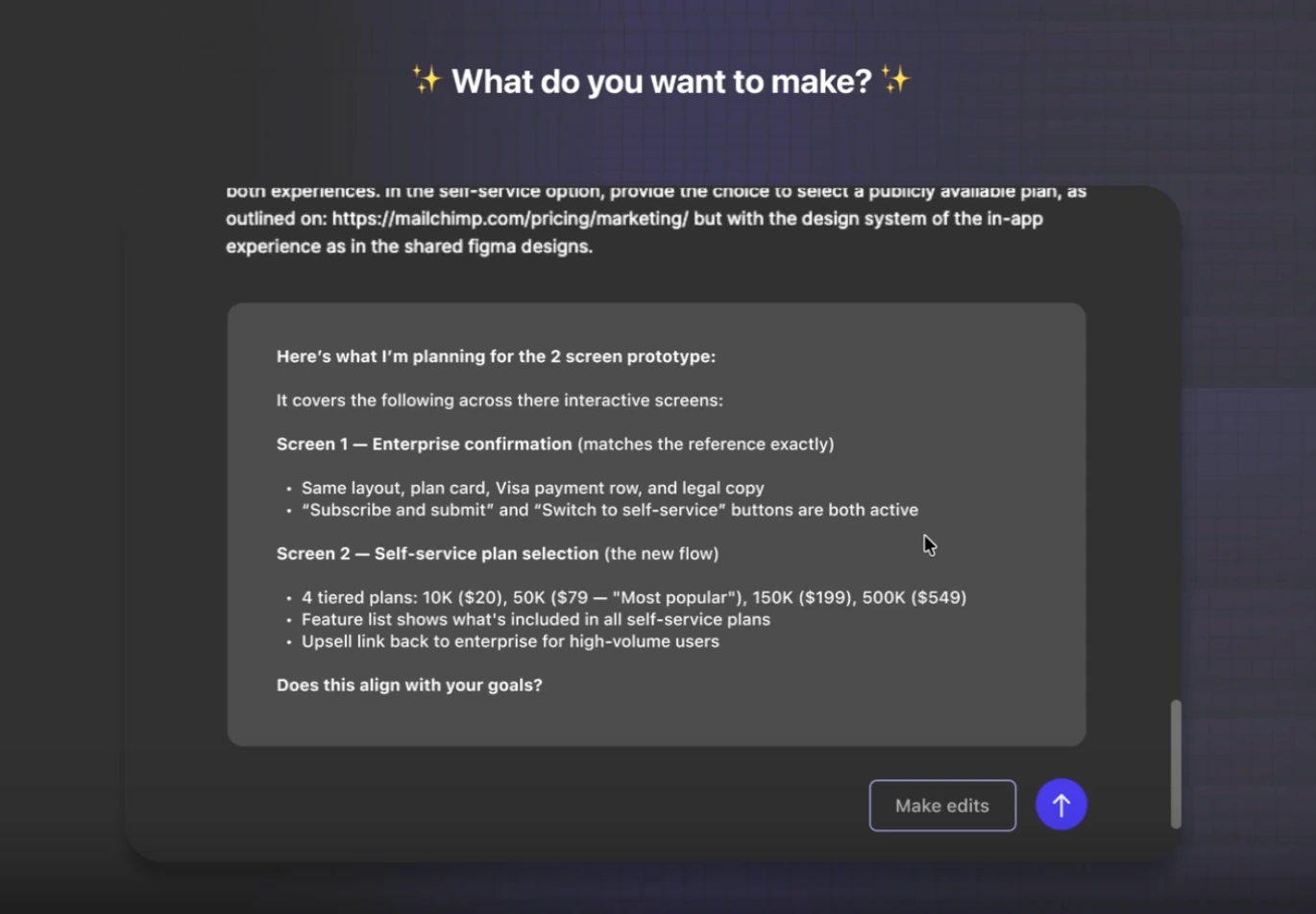
Her redesign targets a gap she sees in the current experience: users aren’t told clearly how the tool works or what it can and can’t do. That uncertainty is expensive — a misread prompt can burn through expensive tokens on a design that’s headed in the wrong direction.
In Linsey’s version, Figma Make acts as a true collaborator with a human in the loop. It explains what it needs, asks clarifying questions, and shares its plan before generating, so the user can confirm or adjust. It’s also upfront about its limits. Without a design system to reference, for example, it warns that fonts and colors may not match.
She credits the course for setting her up well from the first week so that she would know what to expect. Linsey threw herself into the project and even finished early.
All in on AI product design
Linsey came in wanting to understand how AI works and how to design for it.
She's now making her way through the AI Product Design Certification, with AI Prototyping Camp up next and Vibe Coding Camp to follow. The certification capstone will pull it all together into a powerful final project.
Along the way, she's become an advocate for building AI design skills and for Designlab.
"I love Designlab so much, and I've been so enriched by it. When I see other people discover it, I get excited for them."
Getting on the ship
Linsey arrived unsure whether she still had a place in a field being remade by AI. She left with a clear answer, a new way of thinking about her craft, and a plan to keep building.
The parts of design she once saw as chores, or as gaps in her skill set, turned out to be exactly what AI products demand: anticipating failure, mapping journeys, structuring information, and designing for trust.
"Really digging in to understand how AI works and how to design for it was just the natural next step for me. And this course absolutely did that."
Once unsure whether to jump ship, she's now firmly on board and ready for design in the age of AI.


.webp)



.webp)


