




As a Senior Designer for Design Systems at HCSC (Blue Cross Blue Shield), Corey Miller spends his days thinking about consistency, scalability, and collaboration. His team maintains the design system behind a customer-facing healthcare app used by millions of members.
So when the pressure to adopt AI started building, Corey didn't rush in. He had real reservations — about the environmental cost, about whether these tools belonged in serious design craft. He was, by his own description, a skeptic.
But he also recognized that AI was changing how design and product work got done. Rather than dismiss it, he decided to dig deeper. That led him to Designlab's AI Prototyping Camp.
Finding a Starting Point
Before the course, Corey had casually experimented with chatbots and AI tools, but he struggled to understand how professionals could apply AI in real-world product design. "I just didn't really know where to start."
Corey credits the course's structure with helping him learn the concepts in a fun and practical way. He appreciated the depth of experience brought by instructors Jacques Debeuneure and Nanda Gopal, as well as the learning environment they created, which was fast-paced, yet supported and accessible. Through the live lectures and hands-on projects, Corey developed confidence in the tools and workflows and found ways to apply them immediately in his work.
His biggest takeaway? Learning how to structure prompts, build on previous outputs, and create a reusable process for tools like Claude, Lovable, Figma Make, and Copilot.
"The biggest value in the class was learning prompting — how to build a prompt up into something and group prompts together to make the tools work."
That shift changed how he thought about AI, and he began to see it as a collaborative process. "You can ask it something, take the information it gives you, improve on it, and feed it back. You can keep massaging that idea until it really turns into something."
The Power of Rapid Prototyping
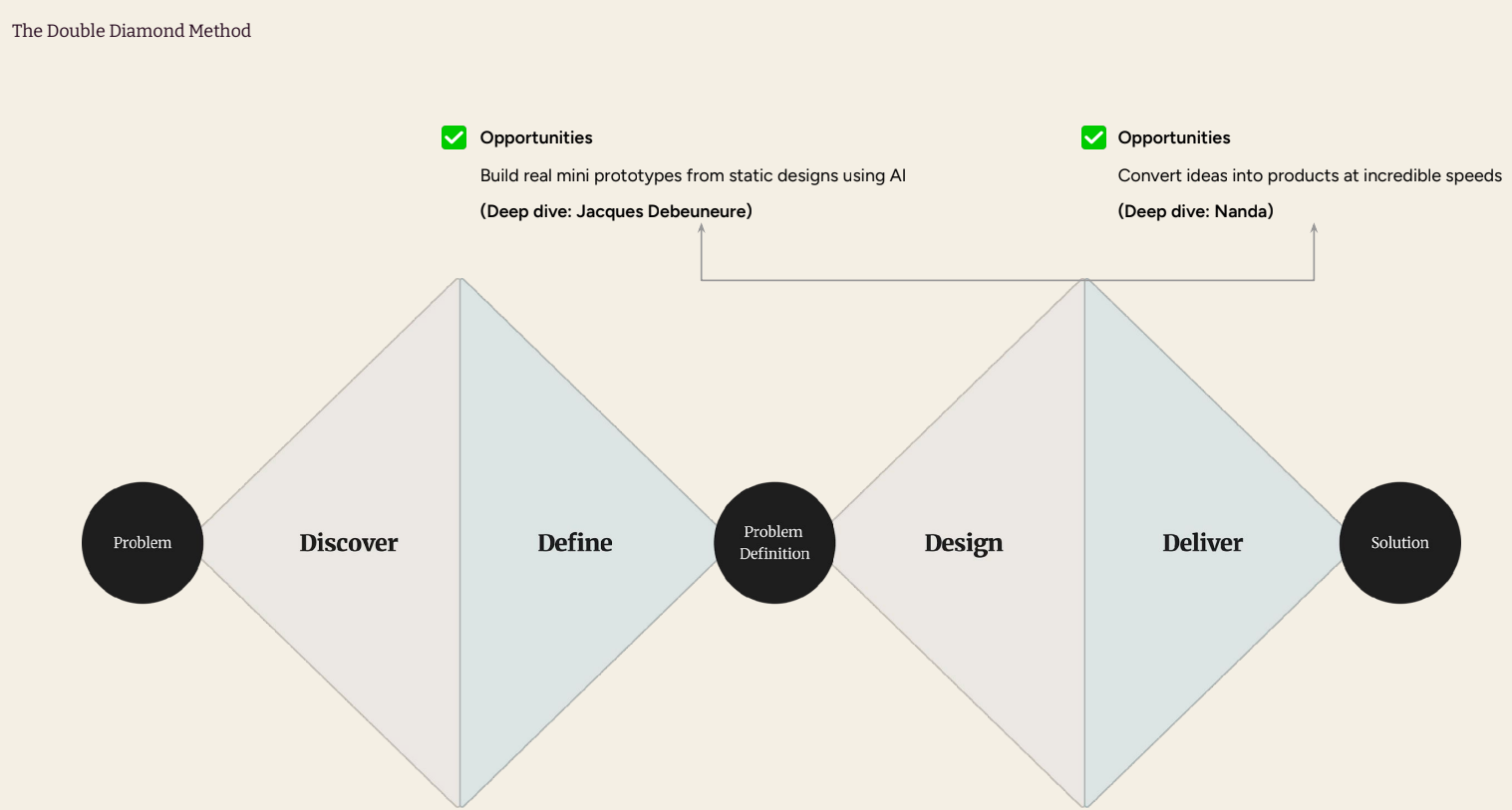
A core focus area of the course was helping designers use AI to rapidly move from ideas to working prototypes.
In Corey’s role, he often helps younger designers navigate complex interactions and communicate more effectively with developers. The design-to-dev handoff has been a process in flux and something that Corey is working to improve and standardize.
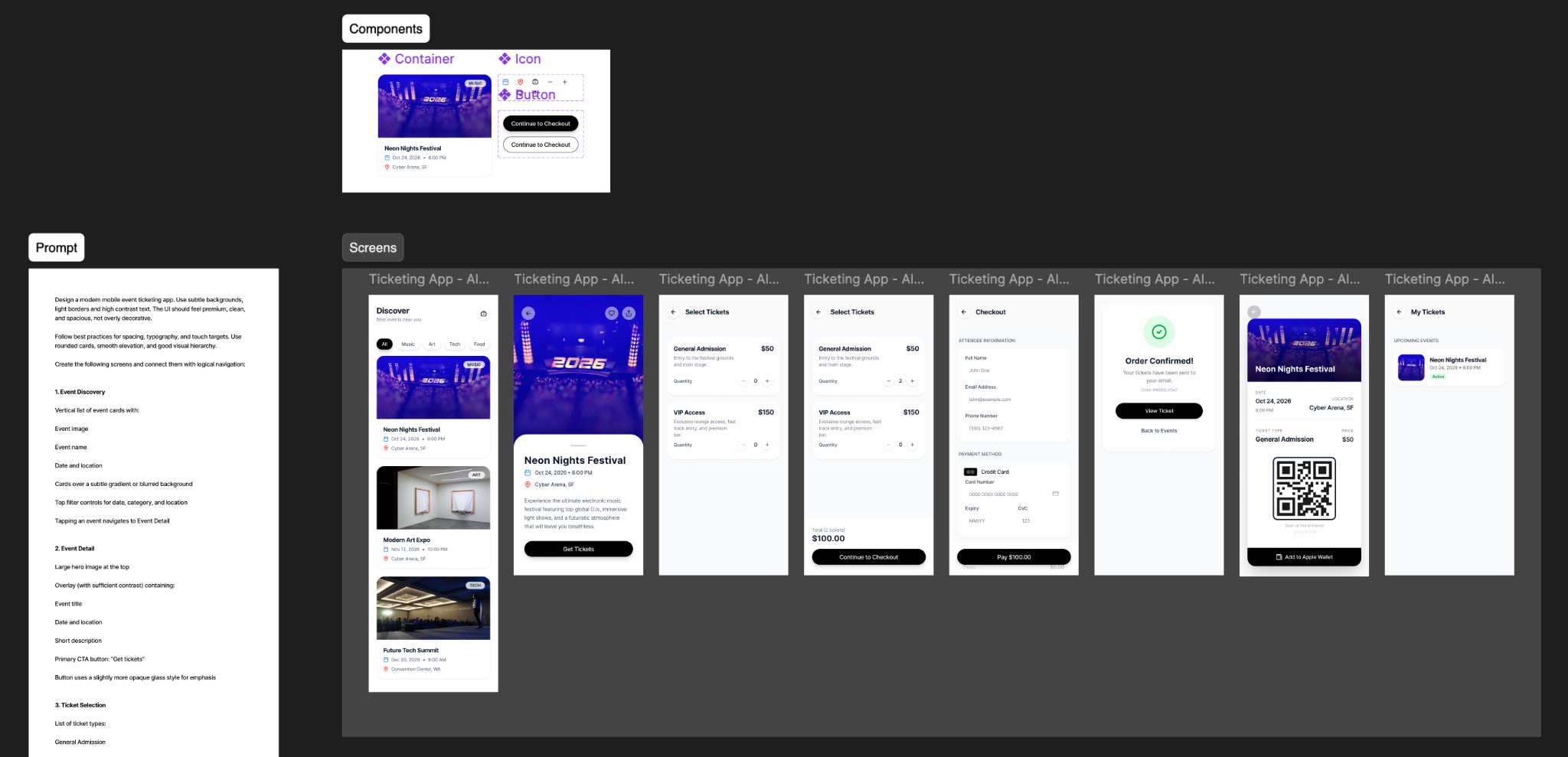
Through AI Prototyping Camp, he found a faster path. When a designer on his team was exploring a complex video interaction inside a modal window, Corey suggested building a functional prototype rather than relying solely on Figma.
Then he decided to try it himself. Using Copilot and the techniques he learned in the course, he generated a working prototype and deployed it in less than half an hour. "That was twenty minutes of work simply because of what I learned in the class about being really prescriptive, really definitive, and telling it exactly what I wanted it to do."
The prototype allowed the designer to experience the interaction in code and validate the idea faster. For Corey, the ability to rapidly test concepts has become a practical takeaway for the team. "It doesn't need to be perfect. It just needs to give the designer and the stakeholders an idea of what they're thinking about and how it works."
Applying AI to Design Systems at Scale
While many designers taking the course began to use AI to rapidly prototype, Corey quickly starting thinking bigger.
Since HCSC is a strongly metrics-focused organization, Corey’s team has been considering ways to use what they learned to measure their productivity. “One of my goals for the rest of the year is to pilot a fully automated design to production pipeline — where we have the whole design system as MD files, and we can prompt new features that will go through the UAT testing and production, using AI.”
Much of Corey's day-to-day work involves helping his designers think more systematically — encouraging reuse, taking ownership of standards for the application, and creating shared design-to-development processes.
AI has become a powerful tool for solving those challenges.
“We also run our main application as a micro front-end application. So it's around nine applications, all running in parallel with different schedules and roadmaps. But that makes for a really disjointed UI. I’m trying to use what I've learned to help them be better at Figma and better at communicating with developers.”
Corey is using his experience and newfound AI knowledge to help his team find inefficiencies, explore new AI workflows, and do their jobs better.
One of my goals for the rest of the year is to pilot a fully automated design to production pipeline using AI.
Building What's Next
Today, the designer who was skeptical about AI is now actively experimenting with AI workflows and helping shape how his organization approaches AI-powered product development.
“The class gave me a way to start thinking about how to be productive in AI. And now I'm all gung ho.”
The class gave me a way to start thinking about how to be productive in AI. And now I'm all gung ho.
Corey is even continuing his learning journey by enrolling in Designlab's Vibe Coding Camp, a natural next step for students who have taken AI Prototyping Camp.
Corey has now seen how AI is positioned to transform design, much like the web did more than three decades ago. “The web came along, and designing in HTML and CSS was like using typing and tagging and code instead of using InDesign. And I feel like there's potential for design in the future to be language-driven — prompting as opposed to pushing pixels around on a screen.”
He believes the future belongs to designers who can think clearly and communicate with AI precisely. And as AI tools evolve, Corey and his team are making a case for building an internal AI model using retrieval-augmented generation (RAG). “If we do it internally, we can keep building and improving the model, the pipeline, the process.”
What started as an attempt to get up to speed on AI became something more: a new way of thinking about design, collaboration, automation, and bringing new ideas to life.


.webp)

.webp)


