


.png)


With experience spanning agencies, freelance work, and now his role as a Senior Product Designer at WM (Waste Management), Matt Tomko had built strong product design instincts. But after years of iterating on familiar products and features, he felt ready to stretch himself creatively again.
“I’d been working on the same products for a while and got kind of stuck in the weeds,” he says.
That led him to Designlab’s UI Mastery Certification Program, designed for working designers looking to sharpen their craft through advanced UI techniques, visual exploration, design systems, and a guided capstone project.
The result for Matt was a renewed sense of creative energy, elevated confidence in his UI abilities, and a polished, portfolio-ready project.
Getting Focused: What Matt Wanted From UI Mastery
Matt entered the UI Mastery Certification with a few clear goals:
- Refresh UI fundamentals and reconnect with core visual principles
- Stretch creatively beyond what he regularly tackled at work
- Deepen advanced UI skills like tactility, animation, and stylistic exploration
- Strengthen design-system thinking and improve component consistency
These goals helped him approach the course with intention: “I wanted to go deeper into UI again and hone those skills overall,” Matt shared.
Rekindling A Creative Spark Through Practice
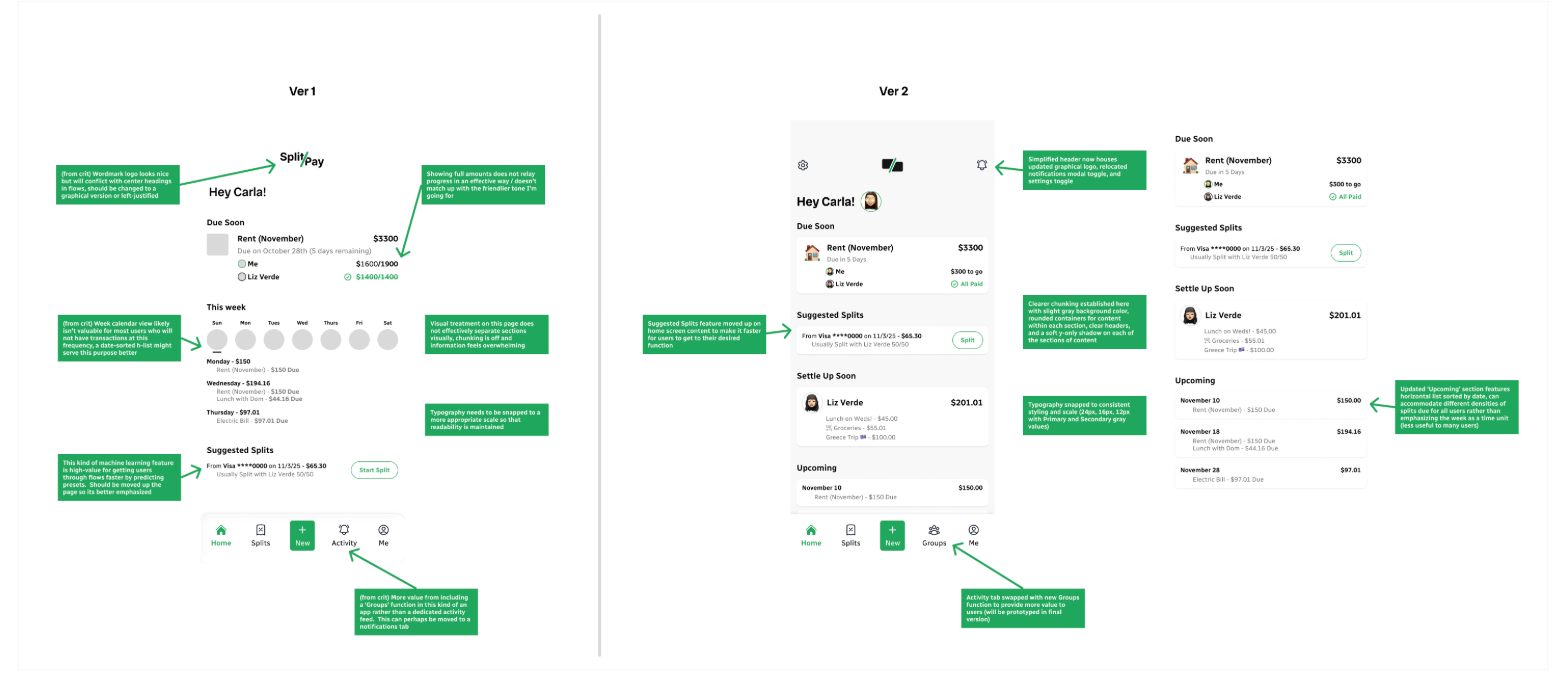
Each week, the course pushed him into visual directions he hadn’t explored in a while, giving him space to experiment and rediscover what he loved about UI design. Across the lessons, critiques, and mentorship, Matt saw meaningful progress in both his craft and confidence:
- Reconnected with core UI fundamentals: Strengthened spacing, hierarchy, typography, and layout decision-making.
- Expanded his visual vocabulary: Explored tactility, texture, motion, and more expressive UI styles.
- Strengthened system-level thinking: Built reusable components and patterns that support scalable product design.
- Improved intentionality in his UI decisions: Applied critique and mentorship feedback to refine and justify visual choices.
- Completed a polished capstone project: Designed a budget-sharing mobile app that showcases both foundational craft and advanced techniques.
- Rediscovered creative momentum: Found renewed enjoyment in exploring UI concepts outside of day-to-day work.
The course delivered the level of depth and structure he was hoping for. “It jogged my memory on a lot of core UI skills, but also let me be creative in ways I’m not always able to at work,” he says.
What had started as a desire to hone skills became something more meaningful: the course reawakened his excitement for UI design.
A Supportive Peer Community and Tailored Mentorship
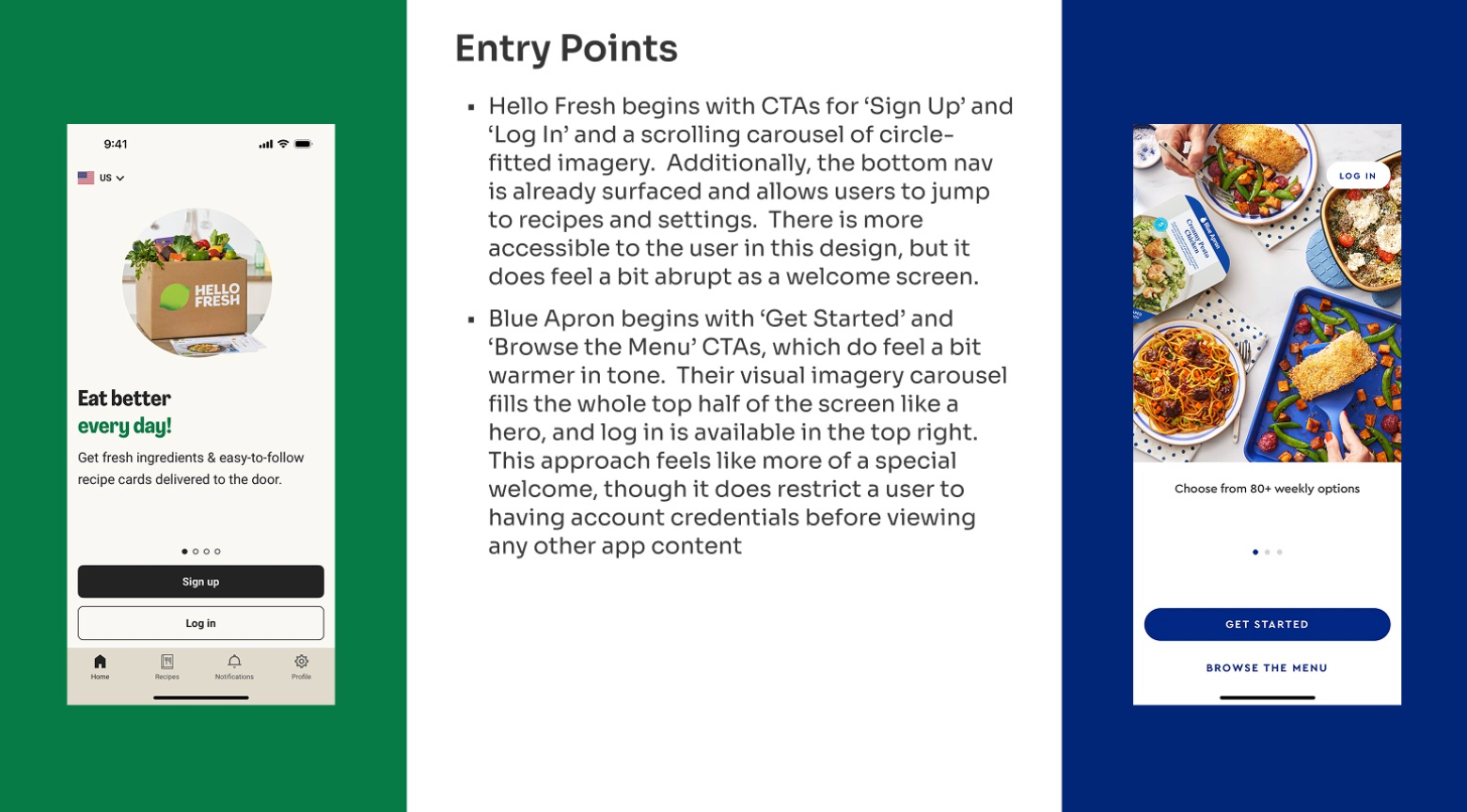
The collaborative structure of the course quickly became a highlight for Matt. The weekly sessions offered a chance to see how other designers approached the same prompt—something Matt found energizing and refreshing. “It was great to get feedback from people outside my team,” he says. “Everyone brought such different perspectives.”
His mentor, Cara Lamason, product designer at Facebook, tailored their conversations to the skills he wanted to strengthen, helping him make more intentional design decisions and shape a strong final project. “Her feedback really helped me focus on the areas I wanted to grow,” he explains.
Rediscovering the Joy of Design
His final capstone project—a budget-sharing mobile app—became a standout piece that let him stretch creatively in ways his day-to-day work doesn't always allow. He intentionally chose a prompt that pushed him outside his typical design approach, giving him room to explore a more consumer-focused, mobile-first product. He conducted research, mapped out flows, fleshing out multiple screens and weaving in the visual techniques explored throughout the course.
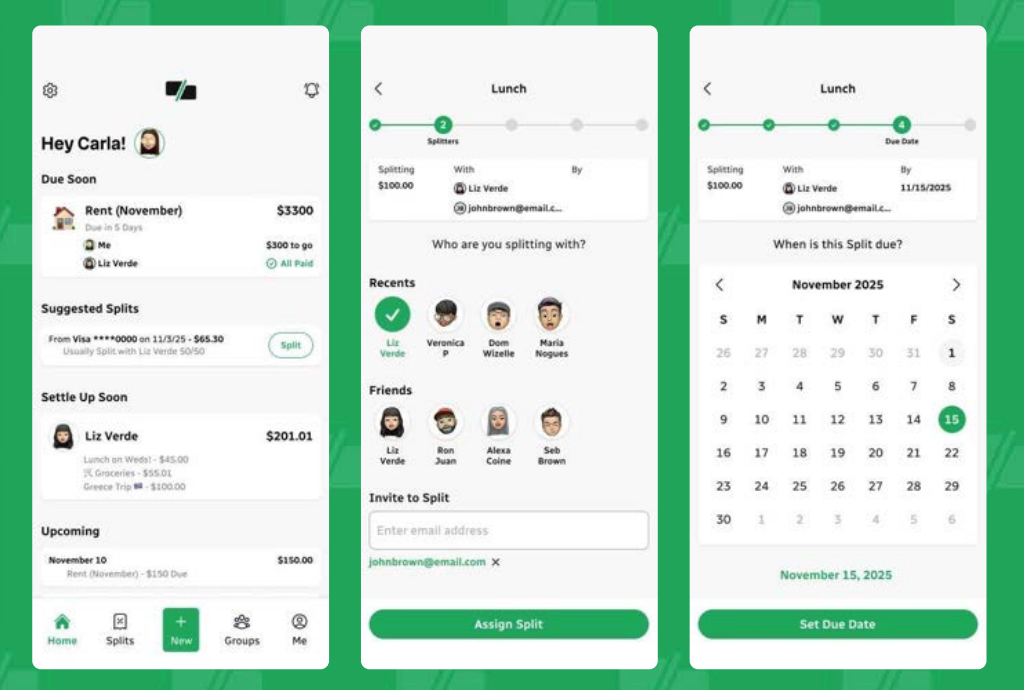
“It was fun to work on something totally different from my day-to-day,” he says. “I really enjoyed digging into it.”
The creative momentum didn’t stop there. Matt also began integrating new techniques into both his work at WM and his personal explorations in Figma. Reconnecting with fundamentals and experimenting with tactility and motion opened up new avenues for creative expression.
When it came to the course overall, Matt shared: “It felt perfectly tailored to where I am in my career, and it reminded me how fun UI can be.” The course ultimately gave him exactly what he was seeking: deeper skill, fresh inspiration, and renewed creative momentum.
Interested in reigniting your own creativity while bringing your design craft to new heights? Check out Designlab's advanced UI course, the UI Mastery Certification.


.webp)


.webp)


